DBC Craft

DBC Craft is a native macOS editor for CAN database (.dbc) files. Open a database directly from Finder, inspect its messages and signals, edit it, and save it without sending confidential vehicle data to a web service.
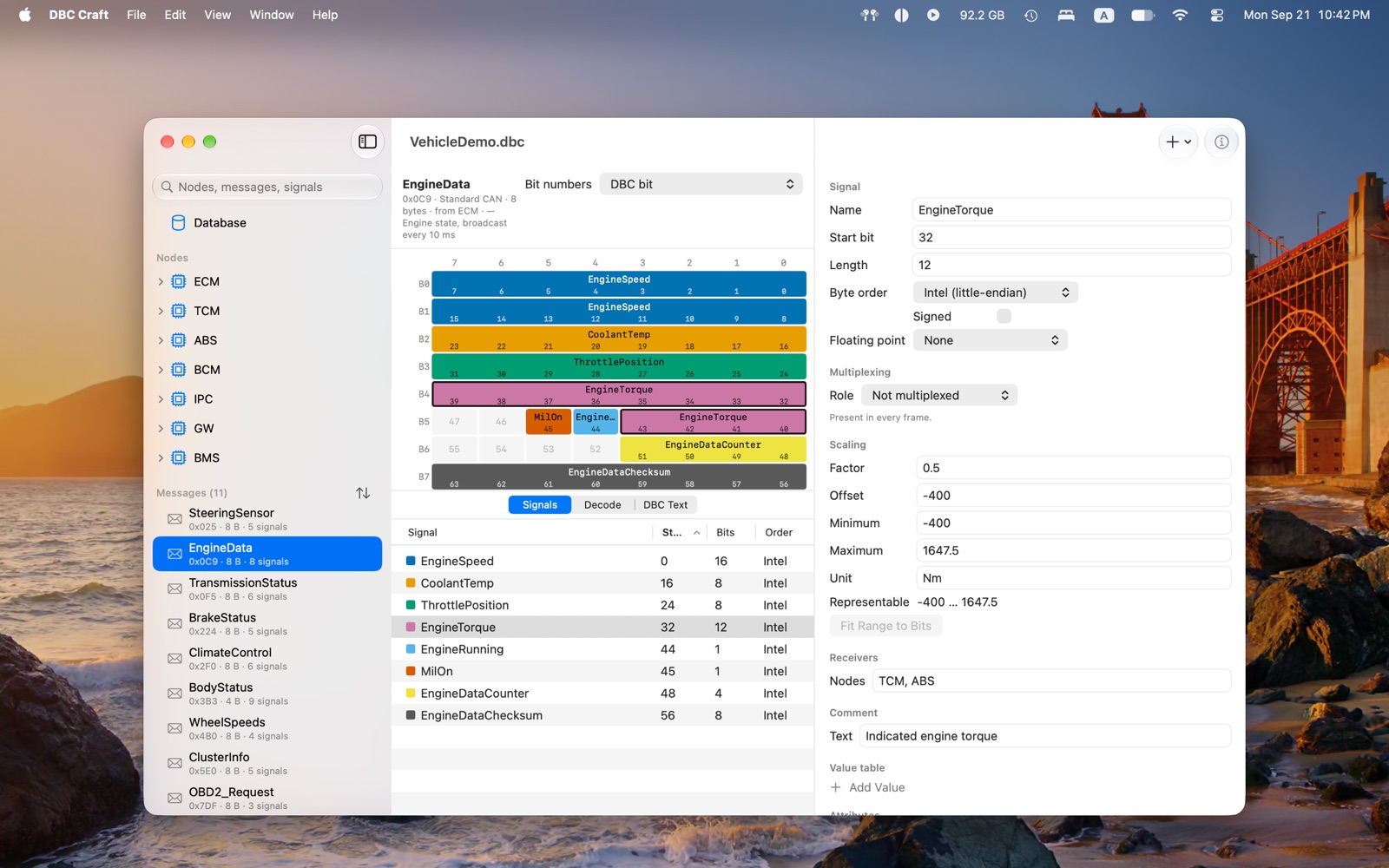
Understand the layout #
- Browse the whole database — move through nodes, messages, signals, value tables and attributes in one document window.
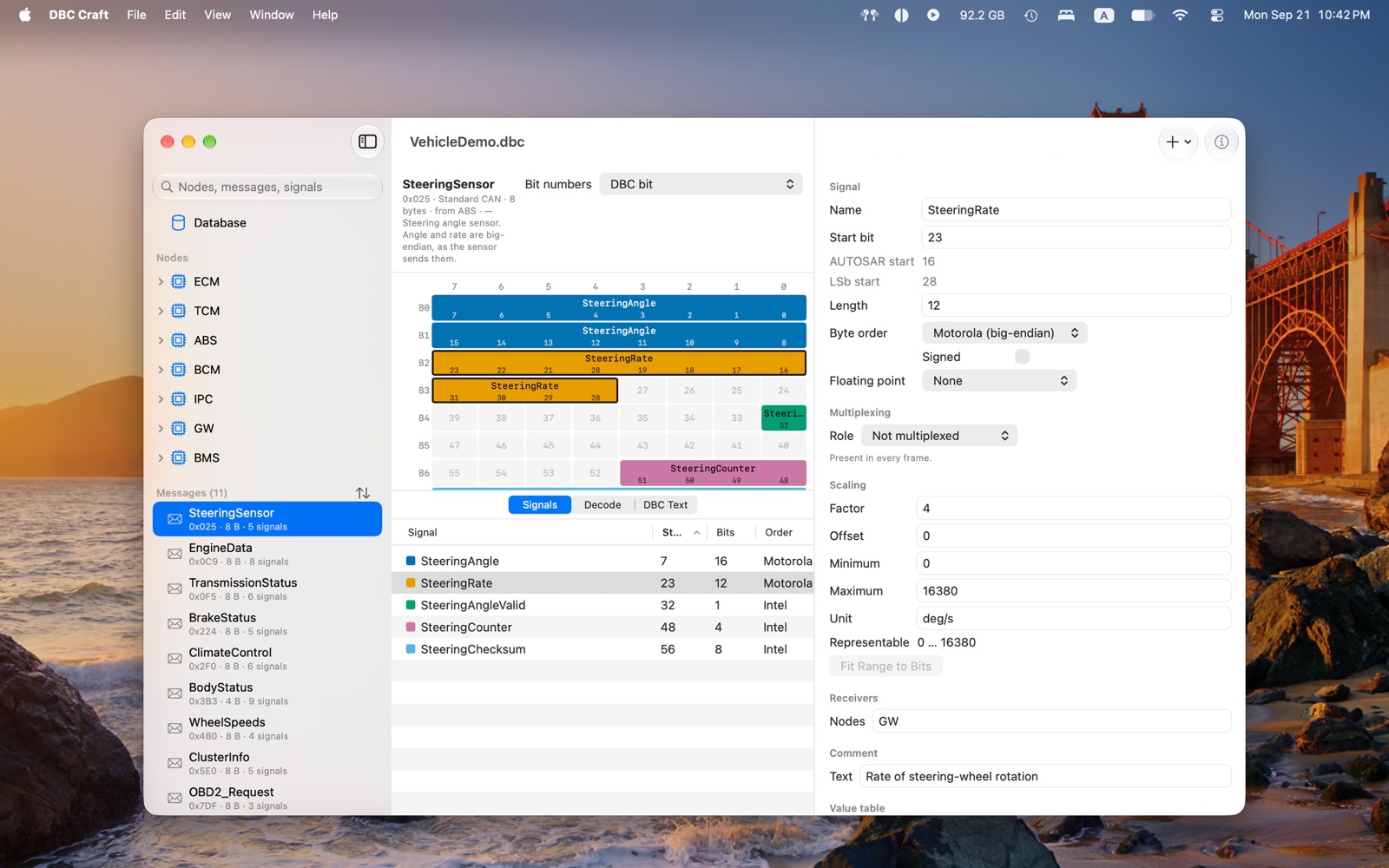
- See every bit — a colour-coded grid shows where signals sit in the payload, including Intel and Motorola byte order, CAN FD and multiplexing.
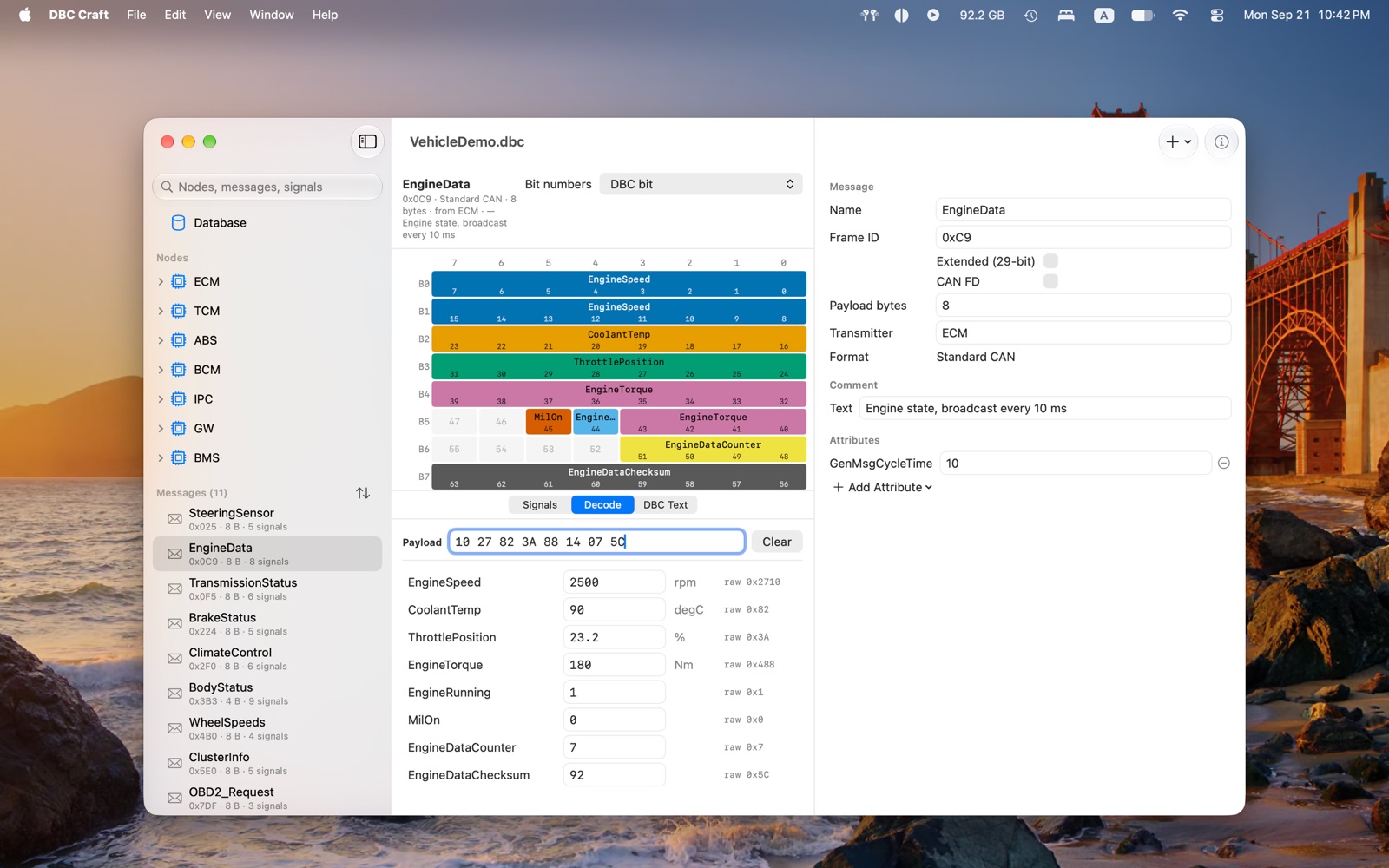
- Decode and encode frames — paste raw bytes to inspect physical values, or set values and see the resulting payload.
- Find problems early — diagnostics identify overlaps, invalid ranges, duplicate identifiers and signals that extend beyond the message payload.

Free and Pro #
DBC Craft is a free download, and reading a database is free for good: no trial period, no account, and no expiry. DBC Craft Pro is a one-time in-app purchase ($29.99 in the US), not a subscription, and it unlocks changing databases and moving them between toolchains.
| Free | Pro | |
|---|---|---|
| Open and read any DBC database | ✓ | ✓ |
| Bit-layout grid, with Intel and Motorola byte order, CAN FD and multiplexing | ✓ | ✓ |
| Decode sandbox, from bytes to values and back | ✓ | ✓ |
| Validation and diagnostics | ✓ | ✓ |
| Export to CSV and JSON | ✓ | ✓ |
| Edit and save, with full undo | — | ✓ |
| Paste signals and messages from another database | — | ✓ |
| Compare two databases by message and signal | — | ✓ |
| Merge changes from one database into another | — | ✓ |
| Import and export SYM, KCD and DBF, and import ARXML | — | ✓ |
| Generate C pack and unpack functions and Swift decoders | — | ✓ |
Without Pro your files always open, and nothing you have already saved ever becomes unreadable.
Compare and merge #
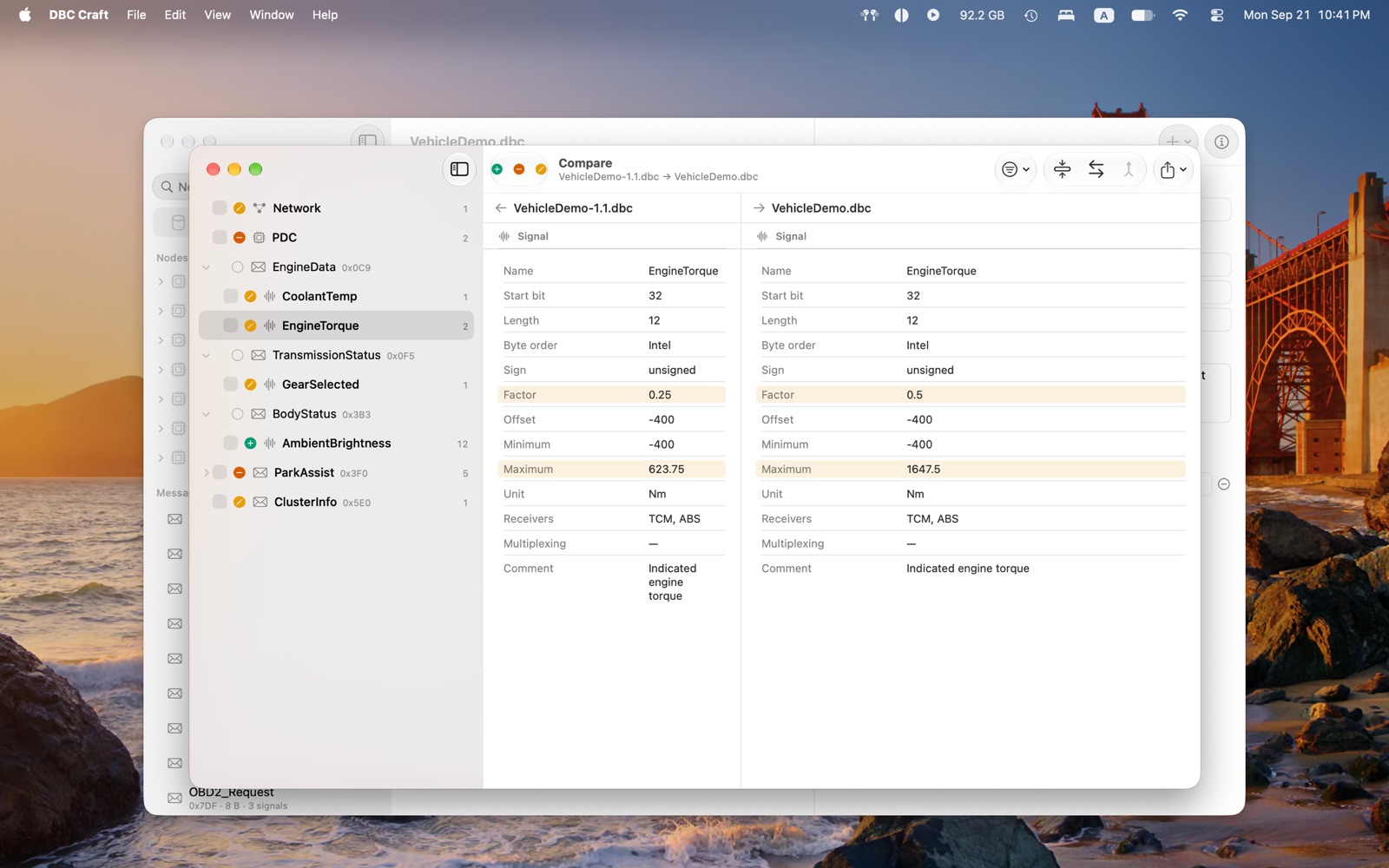
ProCompare two databases by message and signal rather than by line, in a side-by-side window with a navigable change tree. Take the changes you choose from one open database into another, preview the result before anything is written, and undo it in one step.
Copy between databases #
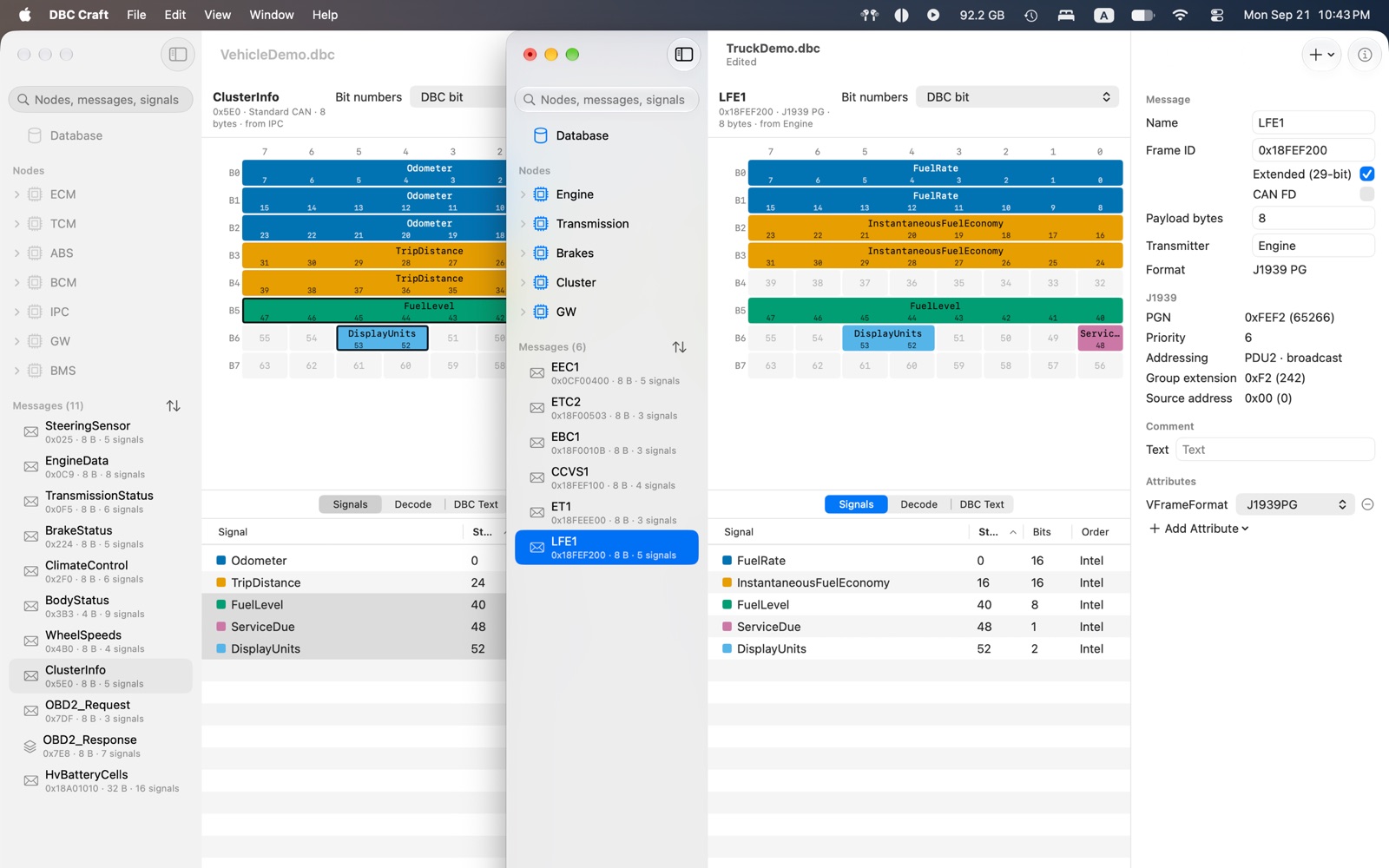
ProCopy signals or whole messages from one database and paste them into another, or drag a message from one window to the other. Comments, value tables and multiplexing come along, and a name or ID that is already taken is renamed or renumbered, never overwritten. The clipboard holds plain DBC text, so a copy pastes into a text editor too.
Preserve the source file #
An unedited database saves back byte for byte, including statement order, whitespace, line endings, text encoding and vendor-specific statements that DBC Craft does not model. Motorola start-bit values stay exactly as the file writes them.
Every edition reads DBC and exports CSV and JSON. With Pro, DBC Craft also saves DBC, reads and writes SYM, KCD and DBF, imports ARXML, and generates C pack/unpack functions and Swift decoders, which are tested against the same codec the app uses.
Private by design #
Your databases remain on your Mac. DBC Craft has no account, analytics, telemetry, advertising, cloud service or third-party SDKs. The standard edition uses networking only through Apple’s StoreKit purchase and restore flow. The organisation-licensed DBC Craft Pro edition contains no StoreKit and has no network entitlement.
Read the full DBC Craft privacy policy.
Requirements and support #
DBC Craft requires macOS 15 or later.
Download DBC Craft on the Mac App Store. For support questions, email .